Selection
What law firms should consider when choosing a PDF editor
When a law firm selects a PDF editor, for example to replace or supplement an existing program such as Adobe Acrobat or Foxit PDF Editor, the decision should be based on the firm's own workflows. This page sets out criteria that regularly play a part in legal practice and states, for each criterion, the facts about PageDream PDF by AIXI Digital GmbH in Vienna.
Free without signing in. Try Pro for 14 days with a free account. For Windows; a macOS version is in preparation.
No assessment of other products is intended; this page contains no information on the prices, functions or requirements of other providers. Which solution fits depends on your workflows, your infrastructure and the functions you need. Please therefore assess the offers under consideration against your own requirements.
How to evaluate PageDream PDF in your firm
- Download and install Download PageDream PDF for Windows and install the program. No account is required.
- Try Pro for 14 days with your own documents With a free account on pagedream.io you can try Pro with all features for 14 days, without payment details and without a subscription. Test the workflows that occur daily in your firm using your own files.
- Match your requirements Note which functions you actually need, for example redaction, text recognition, digital signatures, court exhibits or the pre-filing check, and match them against your current solution.
- Continue or choose Pro After the Pro trial you continue without sign-in with the free version, in which documents edited with the general functions receive a discreet footer and professional tools are not included, or purchase a Pro licence without a footer, as a single, team or Enterprise licence.
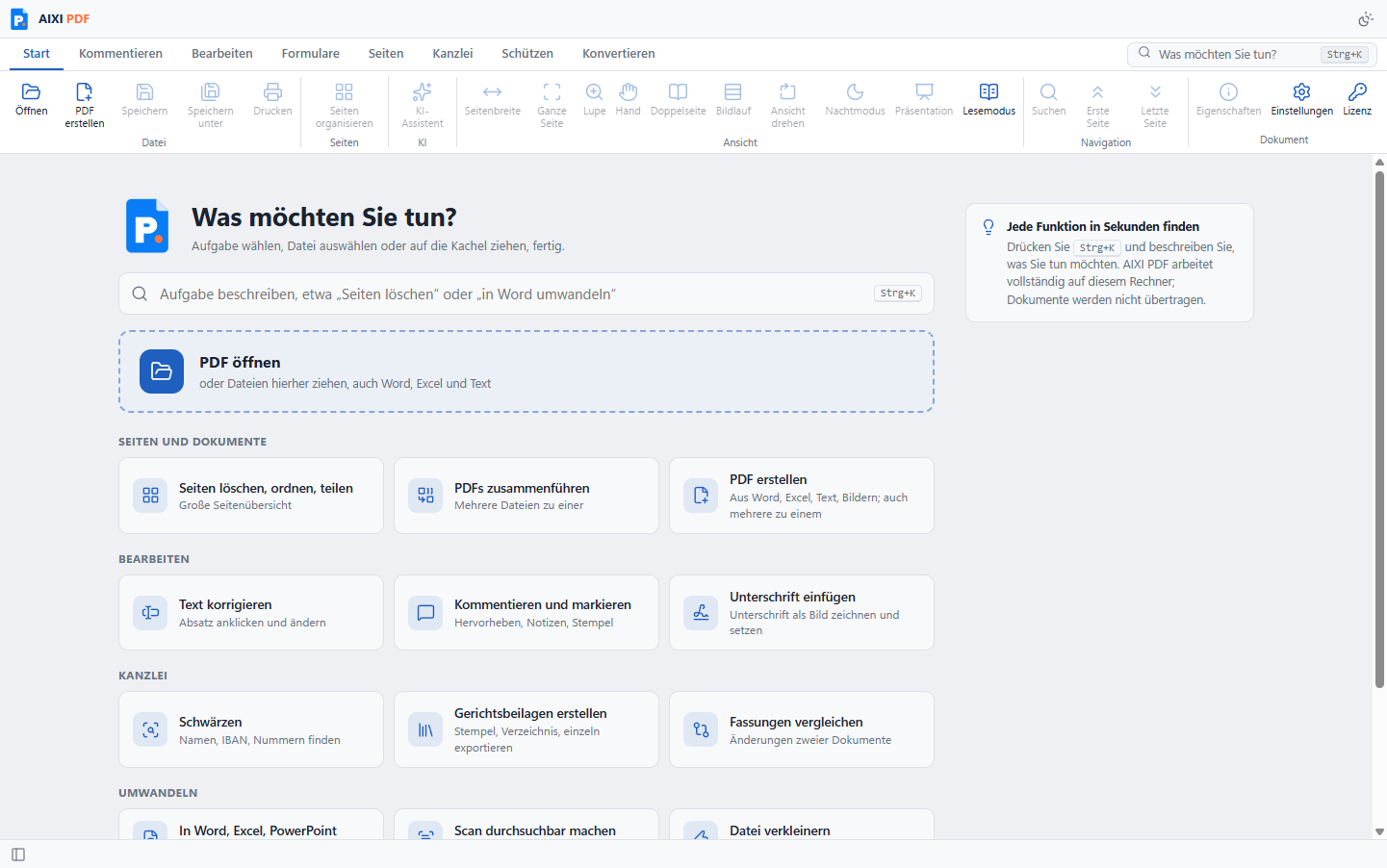
- Enter the licence key You enter the licence key via the Licence button in the Document group of the Start tab. The device is registered in the process, and the licence is confirmed online every three months without any documents being transmitted.
Selection criteria and the facts about PageDream PDF
Where documents are processed: for documents subject to professional secrecy, what matters is whether they leave your own computer. PageDream PDF is used without an account; documents remain on your computer, there is no transfer to a cloud and no telemetry; the licence is confirmed online every three months without any documents being transmitted. The optional AI assistant is switched off by default. Details are set out under security and editing PDFs offline.
Redaction: what matters is that content is not merely covered. In PageDream PDF, content under the redaction is removed from the file; an independent check and an optional audit log with SHA-256 checksums document the result. More on the redaction page.
Court exhibits and filing: litigation practice calls for exhibit labels by party, an exhibit list, page numbering for large productions and a technical check before filing. PageDream PDF marks exhibits in line with Austrian and German practice, creates exhibit indexes, applies Bates numbers and checks files before filing via beA or with US federal courts.
Signatures, archiving and text recognition: PageDream PDF signs in accordance with PAdES up to B-LTA, validates signatures against a trust list, creates and checks PDF/A, checks documents for accessibility (PDF/UA) and performs text recognition offline. The full overview is on the features page.
Platform and languages: the program is available in ten languages. PageDream PDF is currently available for Windows; a macOS version is in preparation.
Licensing and cost
PageDream PDF can be used in the free version without an account and without an expiry date. With a free account on pagedream.io, Pro can be tried with all features for 14 days, without payment details and without a subscription. Pro is available as a single licence for one user on up to three devices and as a team licence for ten users, each as a monthly or annual subscription; Enterprise licences are available on request. Purchases are made through Paddle acting as merchant of record. Current prices are shown on the pricing page.
Free version or Pro
PageDream PDF runs as the free version without an account, without sign-in and without an expiry date. Reading, searching, printing unchanged documents, all views and verifying digital signatures are free of charge and unlimited; filling in forms and signing by hand is possible for up to ten documents per calendar month without a footer, thereafter with a footer. Creating PDFs, commenting and organising pages are free of charge; saved, printed and sent documents then carry a discreet footer "PageDream.io · powered by aixi" with logo on every page. Specialist functions such as export, redaction, court exhibits, comparison, digital signing, text editing, text recognition, PDF/A, batch processing and the AI assistant are reserved for Pro, as are all functions of the Law firm and Planning areas. Pro includes all functions without a footer and without a quota.
Adobe, Acrobat and Foxit are trademarks of their respective owners.
Frequently asked questions
How can I evaluate PageDream PDF without obligation?
Download the program from the download page and use the free version without an account. With a free account on pagedream.io you can try Pro with all features for 14 days, without payment details and without a subscription. Afterwards you decide whether to continue with the free version or purchase a Pro licence.
Do I need an account for PageDream PDF?
No. PageDream PDF is used without an account; the free version also requires neither sign-in nor registration. The Pro trial requires a free account on pagedream.io. For Pro you enter your email address and licence key, or sign in within the program with your email address and a code sent to you by email, whereupon the program retrieves the key itself; the device is registered in the process, and the licence is confirmed online every three months without any documents being transmitted.
How much does PageDream PDF Pro cost?
Current prices for the single and team licences as monthly and annual subscriptions are shown on the pricing page. Enterprise licences for more than ten users are available on request. With a free account you can try Pro with all features for 14 days, without payment details.
What is possible without a licence?
PageDream PDF runs as the free version without sign-in: reading, searching, printing unchanged documents and verifying signatures are free of charge and unlimited, the general functions are usable, and saved, printed and sent documents then carry a discreet footer "PageDream.io · powered by aixi" with logo on every page. Pro includes all functions without a footer, including export and the other specialist functions.
Is PageDream PDF available for macOS?
PageDream PDF is currently available for Windows. A macOS version is in preparation. The program is available in ten languages and is used without an account. Documents remain on your computer; the licence is confirmed online every three months without any documents being transmitted.
Try PageDream PDF in your own firm
Try Pro for 14 days with all features and with your own files, with a free account and without payment details.