
Local and confidential
Edit PDF offline, without a cloud and without an account
When a PDF is edited in an online service, the document leaves your own computer. For law firms bound by professional secrecy, that is no minor matter. With PageDream PDF you can edit PDF files offline and entirely on your own Windows computer: without an account, without a cloud and without telemetry. With Pro, the licence is confirmed online every three months without any documents being transmitted.
Free without signing in. Try Pro for 14 days with a free account. For Windows; a macOS version is in preparation.
Reading, commenting, text editing, page organisation, text recognition, redaction, court exhibits and digital signatures all run locally in PageDream PDF. Documents are not transferred to a cloud, and the program sends no usage data. No internet connection is required for working with documents, apart from services that you expressly set up yourself, such as a timestamp service for signatures.
To activate Pro, choose Licence in the Document group of the Start tab, enter your email address and licence key and click Activate. The device is registered in the process, and the licence is then confirmed online every three months. Only the email address, the licence key, a random identifier of the installation and the operating system are transmitted, never documents.
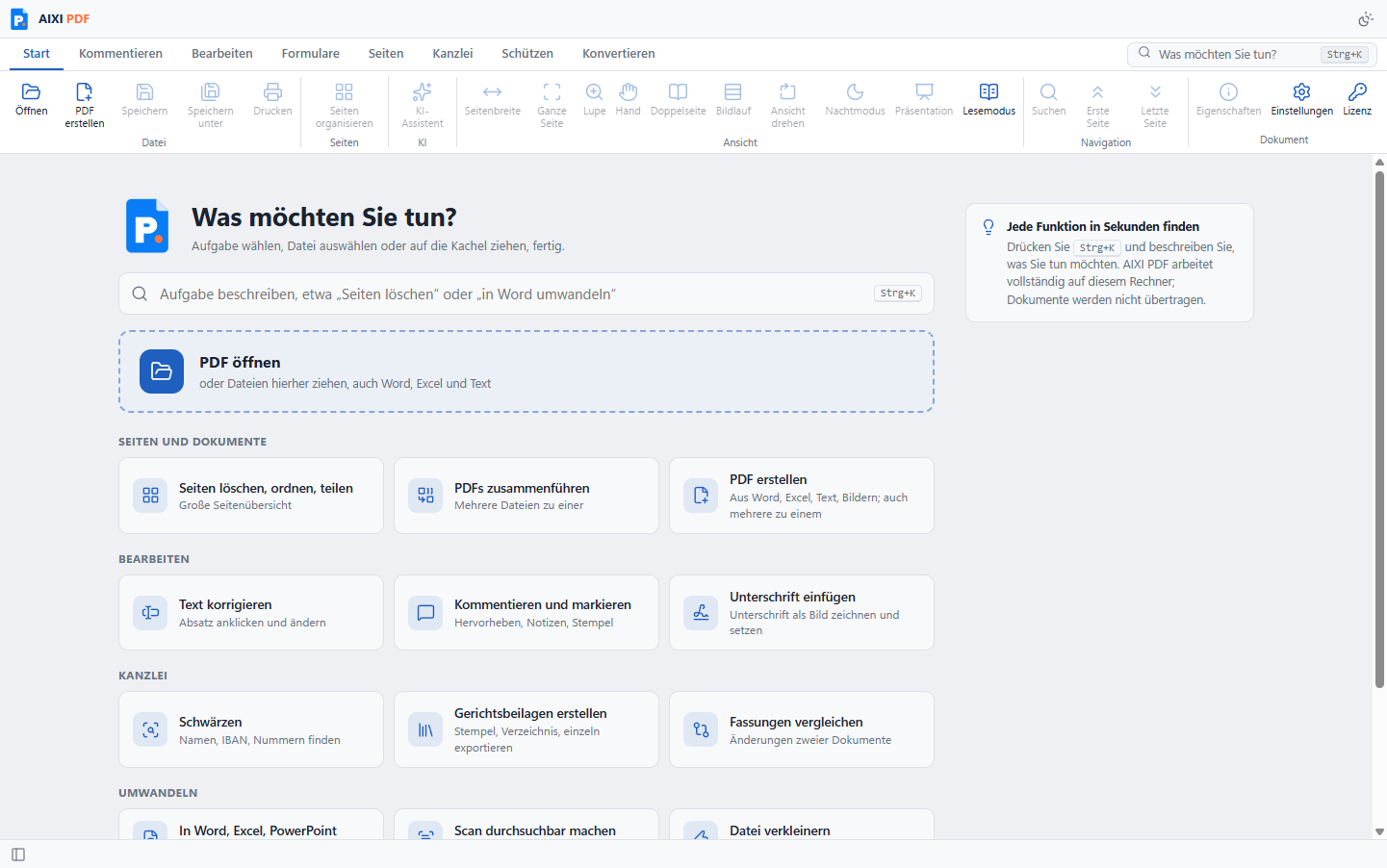
How to edit PDFs offline with PageDream PDF
- Install Download PageDream PDF for Windows and install it. You use the free version without an account, without sign-in and without an expiry date.
- Open a document Open PDFs from your own drive or from the firm's file storage. Several documents are available side by side in tabs.
- Find a function The task search on the start screen or the command search takes you straight to the function you need, without having to search the ribbon.
- Edit and save Comment on, redact, arrange or sign the document and save it locally. All processing steps run on your computer.
- AI only when needed The optional AI assistant is switched off by default. If you switch it on, you use your own API key for Claude, ChatGPT, Gemini or an OpenAI-compatible service, for example a European provider or your own instance; no AI model is included in PageDream PDF or installed with it.
Why local processing matters for law firms
Lawyers are bound to secrecy regarding everything entrusted to them. If client documents are handed over to an online service, a further party becomes involved in the processing. Under the GDPR, a data processing agreement, the place of storage and any transfers to third countries then regularly have to be examined.
With local processing these questions do not arise for the editing of the PDFs themselves: the documents remain within the firm's infrastructure. This makes it easier to meet the expectations of clients who require particular confidentiality and to document your own processing activities.
Without an account and without telemetry, no usage profiles are created at the manufacturer either. Further details on architecture and data protection are on the security page, and the full range of functions on the features page.
The optional AI assistant
The AI assistant is switched off by default. No AI model is included in PageDream PDF or installed with it. If you switch the assistant on, you use your own API key for Claude, ChatGPT, Gemini or an OpenAI-compatible service, for example a European provider or your own instance; by default only the excerpts relevant to the question are sent, and PageDream PDF replaces confidential data with placeholders before sending. Whether and to what extent you use this option is entirely your decision.
Frequently asked questions
Do my documents leave my computer?
No. PageDream PDF runs entirely locally; documents are not transferred to a cloud, and there is no telemetry. The only exception arises if you expressly use the optional AI assistant with an external provider; confidential data are then replaced by placeholders before sending.
Do I need an account or an internet connection?
Not for the free version: it requires neither an account nor sign-in, and no internet connection is required for working with documents. For the Pro trial you need a free account on pagedream.io. With Pro, the device is registered on activation and the licence is confirmed online every three months without any documents being transmitted.
Does PageDream PDF send usage data?
No. PageDream PDF contains no telemetry; neither usage data nor document content are transmitted to AIXI Digital GmbH. Connections to external services arise only if you set up such services yourself, for example a timestamp service or an external provider for the AI assistant.
Is PageDream PDF also available for macOS?
PageDream PDF is currently available for Windows; a macOS version is in preparation. The program is available in ten languages. You can obtain the Windows version from the download page and use it free of charge without sign-in; with a free account you can try Pro with all features for 14 days.
What is possible without a licence?
PageDream PDF runs as the free version without an account, without sign-in and without an expiry date. Reading, searching, printing unchanged documents, all views and verifying digital signatures are free of charge and unlimited. Filling in forms and signing by hand is possible for up to ten documents per calendar month without a footer, thereafter with a footer. Creating PDFs, commenting and organising pages are free of charge; saved, printed and sent documents then carry a discreet footer "PageDream.io · powered by aixi" with logo on every page. Text editing and further specialist functions are reserved for Pro; see pricing.
Edit PDFs offline with PageDream PDF
Edit PDF files entirely locally with the free version, without an account and without sign-in, or try Pro with all features for 14 days.